
 By John Mercado
During a remote proctoring test, candidates first verify their identity using an accepted ID, often followed by a quick scan of the room to make sure no unauthorized materials or people are present. Once everything checks out, monitoring begins through webcam video, microphone audio, and screen sharing or recording. Depending on the type of proctoring, live human supervision, AI-based automated checks, or recorded review, the exam session is closely watched to spot any suspicious behavior like looking away from the screen frequently or having another person nearby. Secure browsers prevent opening other apps during the test. Afterward, flagged incidents are reviewed before finalizing results.
What Is Remote Proctoring and Why Is It Used?
Remote proctoring is a way to supervise exams taken outside traditional remote proctoring test centers using digital tools. It helps ensure fairness by monitoring candidates through video, audio, and software, preventing cheating during online tests. This method is especially important for high-stakes exams, certifications, and admissions processes that require secure testing environments. Remote proctoring offers flexibility, allowing candidates to take tests from any location with internet access. Monitoring can be done by live human proctors, recorded sessions reviewed later, or AI-based systems that automatically flag suspicious behavior. It became increasingly important with the rise of remote learning and social distancing, replacing or supplementing physical test centers with technology that verifies identity and watches behavior throughout the exam. This way, exam rules are enforced remotely with a level of control similar to traditional in-person settings.
Different Types of Remote Proctoring Methods
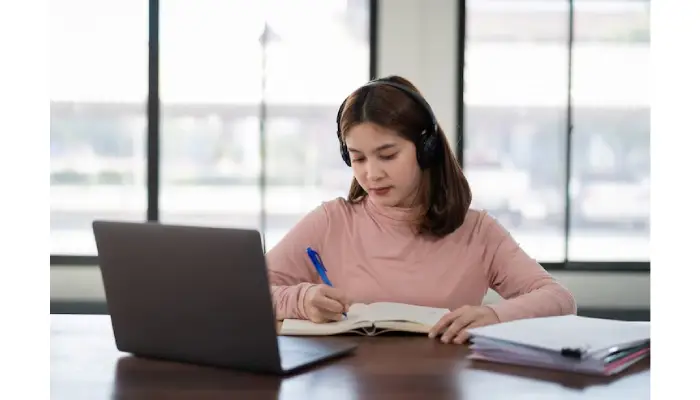
Remote proctoring comes in three main types: live online proctoring, automated proctoring, and recorded proctoring, each with its own approach to monitoring exams. Live online proctoring involves a human proctor watching the candidate through a webcam and microphone in real time. This method allows the proctor to intervene immediately if any suspicious behavior occurs, such as pausing or stopping the exam. Automated proctoring, on the other hand, relies on artificial intelligence to analyze video, audio, and screen activity without a live observer. The AI flags anomalies like unusual eye movements, presence of others, or multiple screens for later review. Recorded proctoring captures the entire exam session, storing video, audio, and screen recordings for a proctor to review after the test is complete. While this provides flexibility in review, it lacks real-time intervention capabilities. Some platforms blend these methods, using AI to monitor live sessions while also recording for backup. Each method balances cost, privacy, and security differently, depending on the institution’s needs, exam type, scale, and budget. Regardless of the approach, all rely on technology to verify identity, restrict access to unauthorized materials, and maintain consistent exam conditions to uphold integrity.
Key Technologies Behind Remote Proctoring
Remote proctoring relies on a combination of technologies to ensure exam integrity without physical presence. Webcams and microphones continuously record the candidate and their surroundings, allowing proctors or AI systems to monitor for unusual behavior or unauthorized assistance. Screen sharing or recording captures everything the candidate does on their device, helping detect attempts to access prohibited resources. AI algorithms play a major role by analyzing video and audio feeds to spot suspicious activities such as additional people in the room, frequent off-screen glances, or odd sounds that might indicate cheating. Secure browsers restrict the candidate’s environment by blocking access to other applications, websites, and functions like copy-paste, reducing opportunities for fraud. Identity verification tools require candidates to upload government-issued IDs and may use facial recognition to confirm identity before the exam starts. Candidates also perform a 360-degree room scan to prove no unauthorized materials or devices are nearby. These AI systems can also detect efforts to use hidden communication devices or other gadgets during the test. Proctors receive real-time alerts when suspicious behavior is detected, enabling quick intervention if needed. To protect privacy and data, all information and exam content are encrypted and securely transmitted. Many remote proctoring solutions use cloud-based platforms, which allow for efficient management of exams and scalable monitoring, supporting large numbers of candidates from different locations simultaneously.
Step-by-Step Walkthrough of a Remote Proctoring Test
Before the test, candidates receive detailed exam instructions, technical requirements, and schedule their session through the proctoring platform. They perform a system check to confirm their device compatibility, internet speed, webcam, and microphone are all functioning properly. On exam day, candidates log into the platform and verify their identity, usually by showing a photo ID or using biometric tools. Next, they scan their room with the webcam to prove the space is free from unauthorized materials or people. Once the proctor or AI confirms all requirements are met, the exam begins. Throughout the test, video, audio, and screen sharing monitor the candidate continuously to spot any rule violations. Proctors can communicate with candidates via chat or voice to clarify instructions or issue warnings if suspicious activity arises. If cheating is suspected, the proctor may pause or terminate the session according to the exam’s rules. After the exam, flagged incidents are reviewed by AI and human proctors, who prepare reports on exam integrity. Candidates receive their results once the session passes review or any concerns are resolved.
What Candidates Need to Prepare Before the Test
Candidates should start by using a compatible desktop or laptop computer, as tablets and smartphones are often not supported in remote proctoring setups. It’s important to pick a quiet, well-lit, and private room to reduce distractions and ensure no one else can access the space during the exam. Having a government-issued photo ID ready is crucial since identity verification is a key step before starting the test. The testing area must be cleared of all unauthorized materials, notes, and additional electronic devices to avoid any suspicion of cheating.
A stable, high-speed internet connection is essential to prevent interruptions that could disrupt the exam or cause delays. Before the exam day, candidates should test their webcam and microphone using system check tools provided by the proctoring platform to confirm everything works properly. Installing any required software or secure browsers ahead of time avoids last-minute technical issues. Understanding the exam rules and proctoring procedures beforehand helps candidates avoid surprises and ensures they know what behavior is expected during the test.
It’s also wise to keep contact information for technical support handy, so help can be accessed quickly if needed. Finally, candidates should avoid wearing hats, sunglasses, or any accessories that might interfere with facial recognition or identity checks, as clear visibility is necessary for smooth verification and monitoring throughout the exam.
- Use a compatible desktop or laptop computer; tablets and smartphones are often not supported.
- Choose a quiet, well-lit, and private room to minimize distractions and prevent unauthorized access.
- Have a government-issued photo ID ready for identity verification during the exam.
- Remove all unauthorized materials, notes, and electronic devices from the testing environment.
- Ensure a stable, high-speed internet connection to avoid disruptions during the exam.
- Test webcam and microphone functionality before the exam using the provided system check tools.
- Download and install any required software or secure browsers ahead of time.
- Familiarize yourself with exam rules and proctoring procedures to avoid surprises on test day.
- Keep contact information for technical support readily available in case of issues.
- Avoid wearing hats, sunglasses, or accessories that might interfere with facial recognition or identity checks.
How Security and Integrity Are Maintained?
During a remote proctoring test, maintaining security and exam integrity involves multiple layers of technology and protocols. Continuous video and audio monitoring keep a close watch on the candidate to discourage and detect any cheating attempts. AI systems analyze behaviors like frequent looking away, presence of others, or use of unauthorized devices, flagging suspicious actions for review. Candidates are required to use secure browsers that block access to other websites, applications, or functions like copying exam content, helping to prevent digital cheating. Before the test begins, identity verification confirms that the person taking the exam matches the registered candidate, often using photo ID or biometric checks, while a 360-degree environmental scan ensures no prohibited materials or assistance are nearby. Proctors, whether live or reviewing recordings later, have the authority to pause or terminate exams if cheating or rule violations are confirmed. All exam sessions are recorded and encrypted to protect exam content and personal data, allowing comprehensive audits if needed. Strict protocols guide how proctors respond to alerts and instruct candidates on acceptable conduct, ensuring fairness and transparency. Additionally, detailed audit trails and incident reports document every activity and alert during the exam, providing a clear record to uphold the integrity of the testing process.
Common Challenges in Remote Proctoring
Remote proctoring tests bring several challenges that affect both candidates and institutions. Privacy concerns are a major issue since continuous video and audio monitoring happens inside personal spaces, making some candidates uncomfortable or reluctant to participate. Technical problems like unstable internet connections, hardware failures, or software glitches can interrupt exams, causing frustration or even disqualification. Many candidates experience increased stress or anxiety knowing they are being watched closely, which can impact their performance. The cost of proctoring services can be a barrier, especially for smaller institutions or individuals paying out of pocket. Accessibility is another challenge: candidates with disabilities or special needs often require additional accommodations, which not all platforms handle well. Data protection regulations such as GDPR and CCPA require strict handling of sensitive personal and biometric data, adding complexity to how providers manage and store information. Automated systems sometimes produce false positives, flagging innocent behaviors like looking away or adjusting glasses as suspicious, which can delay the exam process or cause unnecessary stress. Scheduling exams across different time zones can also be tricky, especially when live proctoring is involved. Furthermore, some candidates resist remote proctoring because they distrust the technology or feel it is too intrusive. Finally, providers must carefully balance security measures with user experience, avoiding overly complicated processes that could discourage candidates or lead to avoidable errors during testing.
Benefits of Using Remote Proctoring
Remote proctoring offers significant advantages by allowing candidates to take exams from home or any location, which adds convenience and flexibility that traditional test centers cannot match. This is especially helpful for individuals with physical disabilities or those living in remote areas, removing barriers related to travel and accessibility. Institutions benefit from lower costs since they don’t need to maintain physical testing sites, pay for staff, or manage travel expenses. Remote proctoring platforms can handle large numbers of candidates at once, making it easier to scale exams during peak times. Flexible scheduling lets institutions offer multiple test windows to accommodate different time zones and personal needs. Despite being remote, these systems maintain exam integrity through continuous monitoring methods comparable to in-person proctoring, using video, audio, screen sharing, and AI. The data gathered during exams helps improve security by identifying new cheating patterns over time. Remote proctoring also ensures exams can continue during emergencies such as pandemics or natural disasters, supporting uninterrupted certification or academic progress. Institutions gain access to detailed reports and audit trails, which assist with compliance and quality control. Additionally, this approach reduces the logistical and administrative challenges that come with organizing physical test sessions, making exam management more efficient overall.
Future Trends in Remote Proctoring Systems
Remote proctoring is evolving rapidly, with artificial intelligence and machine learning playing a bigger role in improving detection accuracy while cutting down on false alarms. We can expect biometric verification methods to become more advanced, making identity confirmation more secure and seamless. User interfaces are also getting better designed to reduce candidate stress and make the exam process smoother. Privacy concerns are being addressed through stricter data protection frameworks to meet new regulations. Integration with learning management systems and certification platforms is becoming common, streamlining exam workflows for institutions and candidates alike. Security will be further enhanced by multi-factor authentication and blockchain technology, which can add transparency and trust to the exam process. More adaptive AI systems will better understand context, minimizing unnecessary interruptions during tests. Remote proctoring is expanding beyond education into areas like professional licensing and corporate training. Institutions will have more customization options to set security levels and proctoring styles that suit their needs. Hybrid models combining in-person and remote proctoring are also growing, offering flexible options for delivering exams without sacrificing integrity.
Frequently Asked Questions
1. How does a remote proctor monitor test takers during an exam?
Remote proctors use webcams, microphones, and screen-sharing software to watch test takers in real time. They look for unusual behavior or attempts to cheat by observing the test taker’s environment and actions throughout the exam.
2. What technology is required to take a remote proctoring test?
You need a computer or laptop with a reliable internet connection, a webcam, and a microphone. Often, you’ll also need to install specific software or browser plugins that allow the proctoring system to monitor your screen and environment securely.
3. What steps do I need to follow before starting a remote proctoring test?
Before the test, you’ll usually be asked to verify your identity using an ID, scan your testing area with your webcam to ensure it’s clear, and close any unnecessary applications. You might also need to agree to rules that prohibit cheating and confirm your testing environment meets the proctoring requirements.
4. How do remote proctors handle suspicious behavior detected during the test?
If a proctor notices suspicious actions, such as looking away frequently or someone else entering the room, they may flag the session for review. Sometimes the proctor will intervene verbally during the test, or a report will be sent to the testing organization for further investigation after the exam.
5. Can technical issues disrupt a remote proctoring test, and how are they resolved?
Yes, technical problems like internet interruptions or webcam malfunctions can affect the test. Most proctoring platforms have support teams to assist immediately, and some allow pausing the exam temporarily. It’s important to follow the instructions provided and stay in touch with support if issues occur.
TL;DR Remote proctoring tests allow candidates to take exams from anywhere while ensuring integrity through live or AI monitoring, video and audio checks, and secure browsers. Candidates must prepare by verifying identity, setting up a quiet space, and meeting technical requirements. Despite challenges like privacy concerns and technical issues, remote proctoring offers flexibility and accessibility similar to traditional testing. Advances in AI and security aim to improve the experience and maintain exam fairness moving forward.